Easyhost makes it easy to install and backup Wordpress from within cPanel. All our hosting plans include Softaculous, which is a one-click installer for Wordpress & hundreds of other free / open source applications.
In order to proceed with Wordpress installation, follow the steps:
- Login to cPanel
- Go to Softaculous
- From the list of applications, select Wordpress
- You will find the form to fill in necessary details of your Wordpress installation
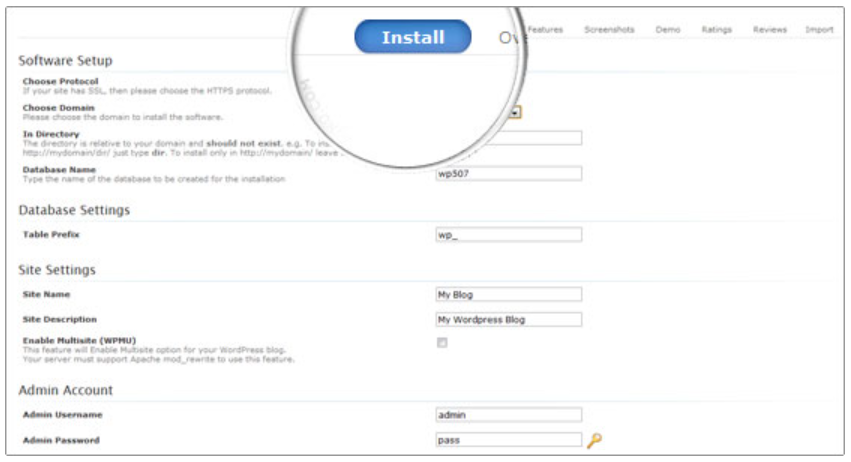
- You can select domain / URL to install Wordpress, database name & table structure, admin credentials and backup for your database.
- Once filled, click install and Wordpress will be setup in few seconds.
Please note, if you wish to install wordpress on the main URL / root, keep In Directory field blank.
If there are any questions, please feel free to reach our support team.
Was this article helpful?
Your vote helps us decide which guides to improve next.