We have upgraded our website - live 27th Sep 2026 onwards.

How to create subdomain in cPanel

Updated 27 Sep 2026 1,985 views 2 found this helpful

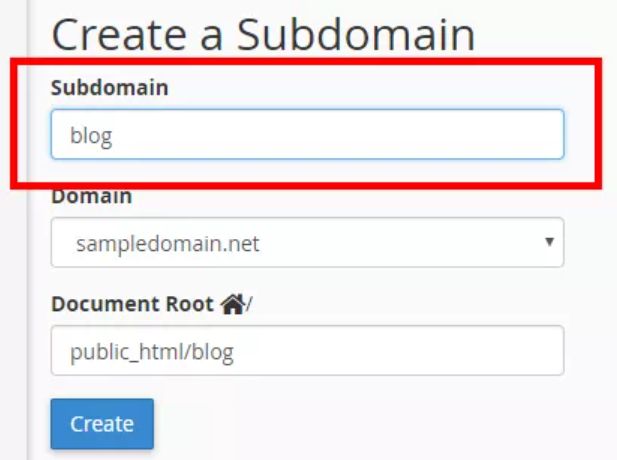
Creating subdomains in cPanel is a breeze, you can setup subdomains within few clicks following the steps given below:

  • Login into cPanel
  • Click on subdomains option
  • Give your subdomain a name like ‘blog’, 'app' etc
  • Select domain from dropdown if your account hosts multiple domains
  • Select document root path, by default a route with the subdomain name will be suggested (this will be a new folder within public_html folder
  • Click create! Your subdomain is ready

2_6183dedf9f839_2_1636121732.png

Was this article helpful?

Your vote helps us decide which guides to improve next.

Still need help?
WhatsApp supportReal people, 24×7, Urdu or English.0300-8236650 → Open a ticketTracked in your client area with email updates.Submit a ticket → Frequently asked questionsOrdering, payments, activation and SSL answers.Read the FAQs →

TALK TO US

Message us. A person replies.

No ticket queue, no bot. WhatsApp, email or a phone call to Karachi — in Urdu or English.

Start with a name.
Be online before lunch.

Free SSL, free migration, 30 days to change your mind. Join 10,000+ Pakistani businesses.

or browse hosting plans